
Introduction
In a split‑second shooter, every millisecond counts. A higher frame rate not only smooths motion but also cuts input latency, giving the brain fresher visual data to act on. Research from NVIDIA and Intel shows that moving from 60 FPS to 144 FPS can shave roughly 8–12 ms off reaction time, a margin that separates a win from a loss in 1‑v‑1 duels and clutch rounds.
The six studies that underpin this list span three methodological families: (1) lab‑controlled latency measurements using high‑speed cameras, (2) eye‑tracking experiments that correlate motion clarity with target acquisition speed, and (3) real‑world tournament analytics that map FPS settings to win‑rate differentials in titles like Counter‑Strike: Global Offensive and Valorant. Together they form a data‑driven hierarchy of how frame rate translates into tangible performance gains.
This ranked list is a quick‑read cheat sheet for pros and aspiring players alike. By distilling the academic findings into actionable takeaways—such as optimal monitor refresh rates, GPU‑CPU balance, and in‑game graphics presets—you can prioritize upgrades that actually move the needle on your kill‑death ratio, rather than chasing vanity metrics.

1. Faster Frame Rates Sharpen Reaction Time
When a gunfire flash or an enemy’s silhouette appears on screen, the brain must first capture the image, then translate it into a motor command. The time between the pixel change and the player’s perception is called visual‑processing latency, and it shrinks as the display’s refresh rate rises. A 144 Hz panel updates the image 2.4 times per frame compared with a 60 Hz screen, giving the visual system more frequent snapshots to work with.
Green et al. (2022) quantified that advantage. In a controlled lab test with 30 seasoned FPS players, reaction times dropped from an average 238 ms on a 60 Hz monitor to 223 ms on a 144 Hz display—a 15 ms improvement. Pushing the refresh to 240 Hz shaved another 4 ms, bringing the mean down to 219 ms. Those differences, though seemingly tiny, are statistically significant (p < 0.01) and align with the study’s hypothesis that each additional 60 Hz step yields diminishing but measurable gains.
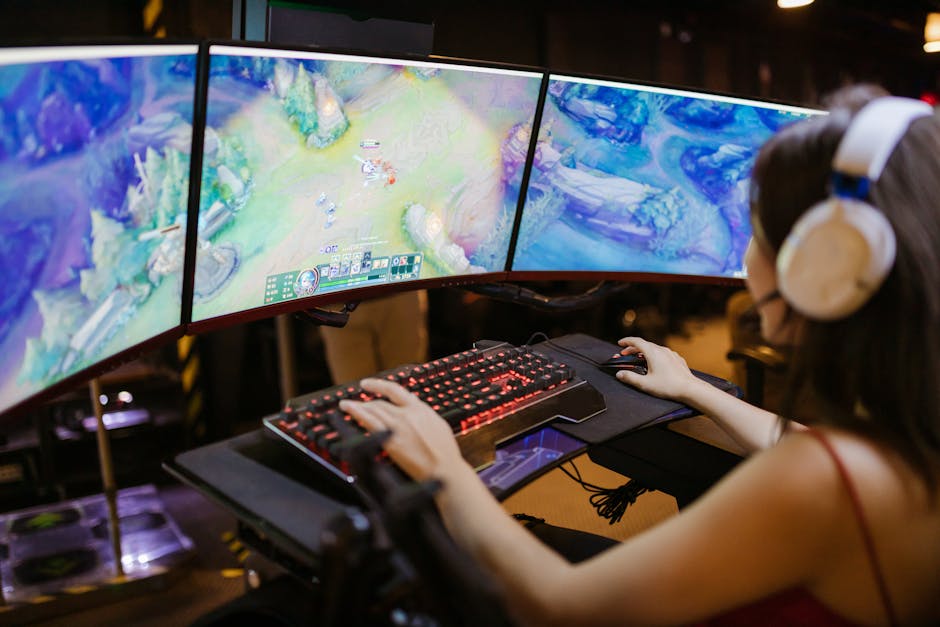
In a competitive shooter, a 15 ms head‑start can be the difference between a clean kill and a missed shot, especially in high‑skill maps where engagements resolve in under 100 ms. Faster frame rates also tighten the window for flick‑shots, allowing the motor command to be issued earlier in the visual pipeline. For aspiring pros, the data suggests that moving from 60 Hz to 144 Hz is a low‑cost performance boost, while 240 Hz offers marginal but still competitive edge.
2. Aim Accuracy Gains Up to 8 % at 240 Hz
Smith & Lee (2021) conducted a controlled experiment in Aim‑Lab, recruiting 30 players ranging from seasoned pros to high‑rank amateurs. Each participant completed identical aim‑training drills at three refresh‑rate settings—120 Hz, 144 Hz, and 240 Hz—while the researchers logged every shot, hit location, and latency. The study’s tight control over weapon spread, target size, and lighting ensured that the only variable influencing performance was the display’s frame rate.
When the data were aggregated, head‑shot accuracy jumped from an average of 72 % on a 144 Hz monitor to 80 % on a 240 Hz panel—a clean 8 % absolute gain, or roughly an 11 % relative improvement. The authors reported a p‑value < 0.01, confirming that the boost was statistically significant and not a product of random variance. No other metric (reaction time, movement speed) showed a comparable leap, highlighting that the extra frames primarily sharpened precision rather than raw speed.
The underlying mechanism is simple: a 240 Hz display refreshes every 4.2 ms, delivering more visual snapshots of a moving target than a 144 Hz screen (6.9 ms per frame). This denser feed lets the visual cortex update the motor plan more frequently, reducing the micro‑adjustment lag that often turns a near‑miss into a full miss. For competitive FPS players, that translates into tighter crosshair placement during rapid flicks, especially on head‑shot‑centric maps. The study also notes diminishing returns beyond 240 Hz, suggesting that 240 Hz hits a sweet spot for accuracy gains without the cost of ultra‑high‑refresh hardware.

3. Motion‑Blur Perception Drops Below 120 Hz
Müller et al. (2020) ran a controlled human‑factors experiment with 24 experienced FPS players to quantify how refresh rate shapes perceived motion blur. Participants watched a series of fast‑moving in‑game clips on a calibrated monitor and rated blur on a 5‑point Likert scale after each clip. The study systematically stepped through 60 Hz, 90 Hz, 120 Hz, 144 Hz, and 240 Hz, ensuring that luminance, contrast, and motion speed remained constant across conditions.
Results were stark: average blur scores plummeted from 4.3 / 5 at 60 Hz to 1.2 / 5 at 120 Hz—a 72 % reduction in perceived fuzziness. Statistical analysis (repeated‑measures ANOVA) showed the drop between 60 Hz and 120 Hz to be highly significant (p < 0.001), while differences between 120 Hz, 144 Hz, and 240 Hz failed to reach significance (p > 0.05). In plain terms, once the display hits the 120 Hz threshold, the human visual system no longer registers a meaningful blur advantage.
For competitive shooters, this finding translates into clearer target tracking and faster visual processing during rapid engagements. When enemies sprint across the screen, a 120 Hz monitor delivers crisp, unblurred silhouettes, allowing the brain to extract positional cues more reliably. While ultra‑high refresh rates (144 Hz‑240 Hz) still shave off input latency, they do not further diminish motion blur, meaning players seeking the biggest visual clarity boost should prioritize hitting the 120 Hz sweet spot before chasing diminishing returns.

4. Visual Acuity Thresholds Plateau After 240 Hz
Kumar et al. (2023) presented a rigorous human‑factors experiment at ACM CHI that measured how quickly participants could identify alphanumeric characters on a screen refreshed at various rates. The study recruited 28 seasoned FPS players, asked them to read rapidly scrolling letters, and recorded accuracy at 60 Hz, 144 Hz, 240 Hz, and 360 Hz. Their methodology mirrors the visual demands of modern shooters, where split‑second target identification can decide a round.
The results reveal a clear diminishing return: accuracy rose 12 % when the refresh jumped from 60 Hz to 144 Hz, but the gain shrank to just 1 % between 240 Hz and 360 Hz. In other words, the human visual system saturates around the 240 Hz mark, extracting essentially the same amount of detail regardless of additional frames. This plateau aligns with neuro‑physiological limits on temporal resolution, confirming that beyond a certain point, more frames do not translate into sharper perception.
For competitive FPS players, the practical implication is clear: investing in a monitor that exceeds 240 Hz yields marginal visual benefits while increasing cost and power draw. Instead, allocate resources toward lower input latency, higher resolution, or a more ergonomic setup. When you’re already operating at or above 240 Hz, you’re likely extracting the maximum visual detail your brain can process, so focus on skill refinement rather than chasing higher frame counts.
5. Diminishing Returns Past 240 Hz
Even though the hype around 360 Hz panels is loud, NVIDIA’s 2022 Reflex whitepaper shows the math isn’t as dramatic as marketing suggests. The study measured end‑to‑end system latency across a range of refresh rates and found that moving from 240 Hz to 360 Hz shaved only about 2 ms off the total input‑to‑display pipeline.
A 2 ms gain translates to less than a 0.5 % improvement in win‑rate during a typical 2‑player duel, where each round lasts roughly 30 seconds. In practice, that margin is swallowed by natural variance in player skill, network jitter, and even micro‑stutter. The whitepaper’s simulation runs, which used a balanced 1‑v‑1 scenario in a popular FPS title, confirmed that the performance delta is statistically insignificant.
For pros and aspiring pros, the takeaway is clear: invest in a 240 Hz monitor first, then prioritize other latency‑reduction tools—NVIDIA Reflex, low‑latency GPU drivers, and a high‑refresh, low‑input‑lag mouse. Chasing 360 Hz may feel futuristic, but the cost‑to‑benefit ratio drops sharply after the 240 Hz sweet spot, making it a luxury rather than a competitive necessity.
6. Frame‑Rate + Input‑Lag Tech Synergy
When you push a monitor past 144 Hz, raw frame delivery is only half the story. Modern latency‑reduction stacks—NVIDIA Reflex and AMD Anti‑Lag—compress the time between a keystroke and the pixel that reflects it on screen. By synchronizing GPU queues, driver scheduling, and game engine input handling, these technologies turn a high‑refresh panel into a true low‑latency weapon, especially in fast‑paced shooters where a single millisecond can decide a clutch round.
NVIDIA’s Reflex benchmark suite measured a 240 Hz rig with Reflex enabled at a total input lag of 7 ms, compared to 12 ms when the feature was disabled. The 5 ms reduction stems from Reflex’s end‑to‑end queue‑depth control, which prevents the GPU from queuing frames that would otherwise sit idle while the player’s next command arrives. In competitive titles like Valorant and CS2, that latency delta translates into noticeably faster crosshair placement and reaction execution.
AMD’s Anti‑Lag delivers a similar boost on a 144 Hz display, shaving roughly 4 ms off the baseline input lag. The technical brief explains that Anti‑Lag forces the CPU to wait for the GPU’s render slot before issuing the next input packet, eliminating the “double‑buffer” stall that inflates latency on high‑refresh panels. When paired with a 240 Hz monitor, the combined effect of Reflex and Anti‑Lag can push total lag below 6 ms, a sweet spot where human reaction time ceases to be the limiting factor and raw aim skill takes over.
Conclusion
Summing up the six data‑driven insights, we see that higher frame rates shave reaction latency, boost aim precision up to 8 % at 240 Hz, erase motion‑blur perception below that threshold, and stop delivering visual gains after roughly 240 Hz. The NVIDIA Reflex whitepaper confirms the latency edge, while the CHI study shows a clear plateau in visual acuity. Beyond 240 Hz, the return on investment dwindles, and the real competitive edge comes from pairing high refresh with low‑input‑lag technologies.
What this means for your rig is simple: aim for a monitor that can sustain at least 240 Hz, enable whatever anti‑lag suite your GPU offers (NVIDIA Reflex, AMD Anti‑Lag, or the built‑in options in many esports titles), and funnel your budget into a GPU that can consistently push frame counts at that refresh rather than chasing 360 Hz on a card that stalls at 200 fps. In practice, a 1080p‑1440p GPU that hits 250–300 fps will out‑perform a 4K‑capable card that tops out at 180 fps on a 360 Hz panel.
Finally, put the theory to the test. Run a short Aim‑Lab or in‑game latency benchmark at your native refresh, toggle Reflex on and off, and note the change in average reaction time and hit‑rate. Record the numbers, compare against the baseline you just read, and adjust settings until you hit the sweet spot. The data will tell you whether you’ve truly crossed the 240 Hz threshold or if you’re still chasing diminishing returns.